
In short
- A blog on your WooCommerce store can say far more about your products than the product pages ever will on their own.
- Useful articles that link to your products do more than inform. They turn readers into customers.
- Results are best when you publish at least one article a week. Count on about three months before traffic and sales start to move.
- Tools like Ninorai.com can handle the writing, optimizing and publishing for you.
Google can’t see your store, but a blog can change that
Everything is set up. Products uploaded, photos looking good, checkout working without a hitch. And still the traffic does not come. The reason is simple: most WooCommerce stores rely only on product and category pages, and those cover a fraction of what customers actually type into Google. Google indexes sites that publish regularly more actively. A store with no blog keeps losing ground to competitors who keep publishing. An SEO blog for WooCommerce is not a marketing extra. It is how the store gets seen by people who have not decided what to buy yet.
Product pages are not enough: why you need an SEO blog
Product and category pages catch the specific searches, the ones where the customer already knows what they want and is ready to pay. But there is a much bigger pile of questions that go unanswered if the store has no blog. "How do I choose", "which is better", "what is the difference between": typical informational searches, and a store without a blog has no page to rank for any of them.

Informational searches usually come before the purchase. Without a blog, your store simply is not there for them. Take a cosmetics store with no blog: it will not show up for "serum for dry skin", and that is exactly what someone types right before they buy.
According to Forrester, generative AI is already changing how people search and shop online (GenAI Reshapes Shopping And Revives SEO). Which makes good informational content even more important for any e-commerce site that wants to stay visible.
Articles built around long-tail keyword phrases bring better-qualified traffic and convert better than generic product terms. On top of that, Google visits sites with fresh content more often, which speeds up indexing across the whole domain, product pages included.
How an article sells: internal links and the customer journey
A blog article on its own rarely produces a direct sale. It works more like a map that walks the customer from interest to purchase. The connecting piece is the internal links that send the reader to specific products or services. Without them, the blog is just information sitting off to the side of the process.
The wording of those links matters. Skip the generic "click here" and use specific text such as "hyaluronic acid serum" or "linen trousers for summer". Google reads the words inside the link to work out what the target page is about.
- Fashion: an article on putting together summer outfits can point to the "Linen trousers" category
- Electronics: if the topic is choosing a laptop for a student, the link goes straight to the suitable models
- Cosmetics: a piece on a routine for dry skin can link to a specific serum or cream from the range
In WordPress and WooCommerce, plugins such as Yoast SEO and Rank Math suggest internal links right in the editor, which makes the whole thing easier to keep up with. And when Google crawls the site and follows those links, a well-linked blog speeds up the indexing and search visibility of the product pages.
Which article types work best for WooCommerce stores?
Not every piece of content delivers the same result. "How to…" articles attract people at the early research stage and suit almost any niche. Comparison articles of the "X vs. Y: which one to choose" type often catch people who are already close to buying. Buying guides ("How to choose…") are useful for pricier products or more complicated choices. Seasonal articles tied to specific periods or occasions bring peak traffic and are usually paired with promotional categories.
A sporting goods store, for example, can publish a piece on choosing running shoes for asphalt and point to the matching category. Or write about home workouts and link to the right equipment and accessories from inside the article.
How often to publish on a WooCommerce blog: the optimal number of articles
How often you publish decides how well the blog on your WooCommerce store performs. To keep the site active and get Google to index it more intensively, publish at least one article a week, or around four a month. Publish less often than that and the effect on visibility stays limited.
Keep expectations realistic. The first measurable results from regular publishing usually show up after three months, and steady growth in organic traffic can be expected after about six months. Any promise of fast rankings within two weeks is unrealistic.
To track results, use Google Search Console. It shows which articles bring impressions and clicks to the product pages, so you can adjust and focus on the topics that perform. Quality beats quantity: a well-structured article of around 1000 words, containing internal links and optimized for search engines, does far more than several short, half-finished posts. The strategy behind frequency and topics gets a fuller treatment in AI blog automation for small businesses.
Running an SEO blog for WooCommerce: manual or automated methods
There are three ways to run a WooCommerce blog for SEO. Comparing manual writing, working with a copywriter and an automated platform side by side makes it easier to see which one fits your store.
| Criterion | Owner writes manually | Hiring a copywriter | AI automated platform |
|---|---|---|---|
| Monthly cost (euro) | Low (time only) | Medium to high | Fixed, predictable |
| Time investment from the owner | High | Medium (coordination) | Low after setup |
| Regularity and consistency | Low (depends on priorities) | Medium (depends on the copywriter) | High (automatic) |
| SEO optimization of the articles | Depends on knowledge | Depends on experience | Built into the process |
| Direct integration with WooCommerce | Manual publishing | Manual publishing | Automatic |
| Scalability | Low | Medium (cost grows) | High |
If you know SEO well and have the time, writing the articles yourself works. If you have a bigger budget and need a particular style, a copywriter is a sensible choice. For stores that want regular content and platform integration without losing time every week, the automated platform is the practical choice. Ninorai.com is one example, built specifically for WooCommerce.
AI automation: how to publish regularly on your WooCommerce blog
With Ninorai.com you create and publish complete blog articles directly in your WooCommerce store. The platform does not stop at the text. It lays out the page: adds structure, picks images and drops in internal links to product categories. The finished article lands in WordPress or WooCommerce as a published page, with nothing for you to do by hand.
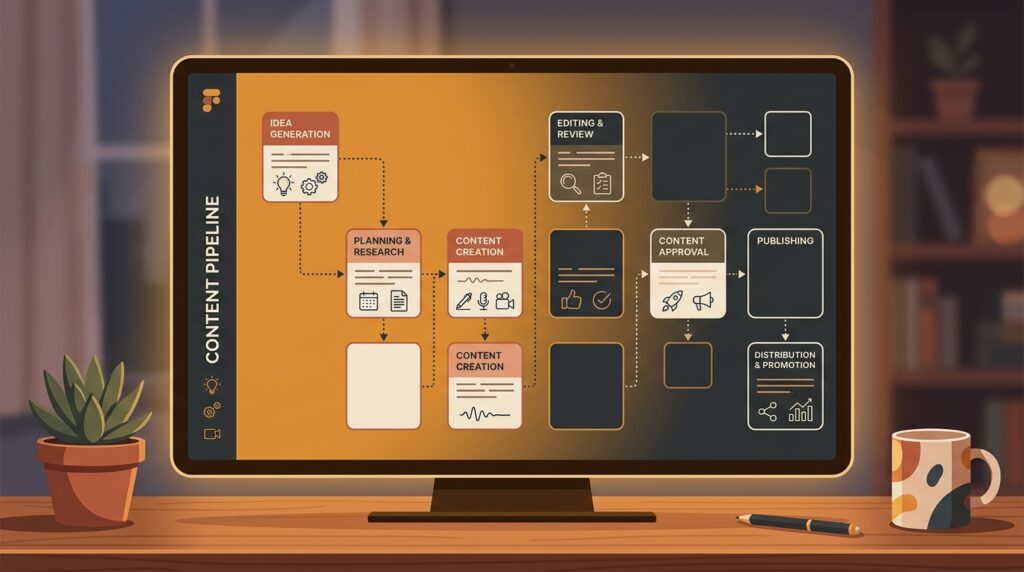
The process runs like this:
- You submit the topic and keywords for the store.
- The platform creates an article of the right length with SEO optimization.
- Internal links to product categories or specific products are added.
- The article is published automatically on the WooCommerce blog.
Content created with Ninorai.com stays yours, and you can keep using it after cancelling your subscription. AI blog automation for small businesses covers automated SEO content in more depth. Ninorai also offers a 7-day trial with two articles, so you can judge the results on your own store.
Frequently asked questions
Why does a WooCommerce store need a regular blog if the product pages are already optimized?
Product pages work for people who already know what they are looking for. Most potential customers research and compare first, though. Blog content helps them find the store while they are still looking for information around its products.
Can AI write SEO content of good enough quality for a WooCommerce store?
Yes, but only if it is set up properly. You need to pick the right topics and keywords and edit the generated texts so they sound natural and are useful to readers. Quality depends on how well the parameters are defined and how carefully the final result is edited.
How many articles a month are enough for a visible SEO effect in an online store?
Four new posts a month is a good target to start with. Publish less often and Google may not see your site as active enough, which limits the effect on rankings.
How do I build internal links between blog articles and product categories in WooCommerce?
The main thing is to use descriptive keywords as the link text (anchor text). That way both Google and readers understand what the page behind the link is about. WordPress plugins such as Yoast SEO and Rank Math suggest links right in the editor, which makes it easier.
Which topics should a fashion, electronics or cosmetics store pick for its blog?
Practical guides ("how to…"), comparison articles and product selection tips perform best. Be specific. "How to choose a winter jacket for the mountains" is a far more useful topic than the generic "Winter jackets".