
In short
- One blog article eats three to five hours of your week, and when publishing goes quiet, Google notices.
- Connecting WordPress is quick. You generate an Application Password and that is it. No code.
- Tools like Ninorai write optimized articles and push them live on a schedule you set, across all the popular content management systems.
- Four automated articles a month adds up to 48 new indexed pages in a year, with no increase in your ad budget.
Is your blog empty? Automate your posts in minutes
Publishing regularly on your blog matters for every small business. The time for it almost never exists. That is the gap AI blog automation fills. With a tool like ninorai.com you generate SEO optimized articles and queue them for publishing. Setup is fast, and you do not need a developer or a marketing specialist to do it.
Why small businesses lose time on manual publishing
One optimized blog article, counting keyword research all the way through to publishing, takes between 3 and 5 hours. Ask an owner for four articles every month and you have just spent a full working day on the blog alone. Squeeze that in between everything else on the list and posts go irregular, then stop.

Long pauses cost you. The algorithm reads them as a signal of a low quality site and pushes it down in search, which is why a steady schedule is part of how you rank rather than something you get to once there is time.
A copywriter or an agency solves the quality problem, sure. It also adds a monthly cost most small businesses cannot justify.
AI blog automation does not take the wheel away from the owner. The owner still picks the topics, the publishing frequency and the direction of the content, and the system carries out that plan instead of setting it.
Research cited in a PMC publication on content automation shows that these tools cover every stage of the publishing process, from timing and repetitions to hashtags, images and links. The same principle applies to automating a business blog.
How to set up automatic publishing in WordPress: 3 easy steps
WordPress publishes articles without any manual work through its built-in REST API. No extra plugins, no edits to the site code. You hand another system access to the admin area and it handles the publishing.
There are three ways to do the integration. REST API is the standard method for WordPress and most modern CMS systems: it sends data to a specific address and the article goes live directly. Plugins are easier to set up, but they tie you to a third party and they do occasionally clash with other parts of the site. Webhook integration runs the other way around. Once the article is created, the system pushes it to the CMS on its own, with nobody waiting on a manual confirmation.
- Creating an Application Password from the WordPress admin (Settings → Users → Application Passwords). No code required, just a few clicks.
- Entering the site address and the password in the automation platform. The system verifies the connection automatically.
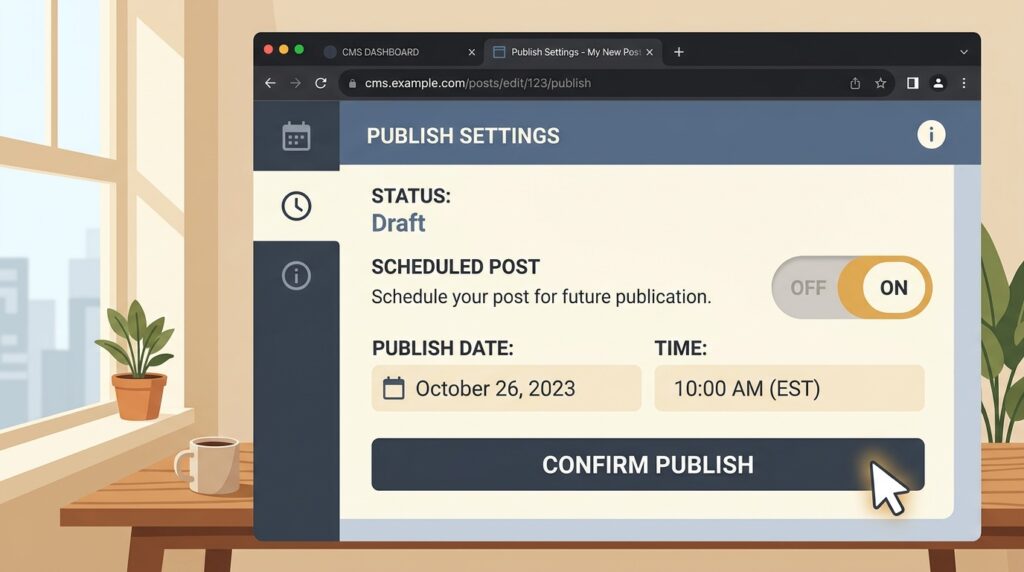
- Setting a schedule and topics: when publishing starts, how often and in which category.
Setup takes a few minutes, and from that point articles get generated, optimized and published without anyone opening the admin panel again.
Wix and Shopify: how do these platforms connect?
Wix and Shopify have API interfaces too, with a few more limits than WordPress. On Wix, automatic article publishing runs through the Wix Headless API, available only on business plans. Shopify pushes blog content through the Admin API, which suits online stores that want organic traffic building alongside their product pages.
WordPress is the most flexible platform for automating blog content. Wix and Shopify ask for a bit more setup, then run reliably once they are configured. If your business sits on one of those, automation still works, and the quality does not suffer for it.
Custom CMS? The solution for automated content uploads
Plenty of site owners assume they are out of luck because their platform is not WordPress or Shopify. Usually they are not. Modern CMS systems, including custom-built ones, usually support REST API or webhook integrations. The connection runs through a standard API endpoint: the automation system sends the article as a structured JSON object, the CMS takes it in and publishes it.
What you need is access to the CMS admin. Nothing else. The client writes no additional code.
Ninorai works with almost any CMS platform. If there is no ready integration, the Ninorai team can add one on request.
With custom solutions, the webhook approach is usually the easier one to live with. The article goes live the moment it is generated, so nothing sits in a queue. Less waiting, and a schedule you can actually predict.
Automatic vs. manual publishing: which is better for your business
| Criterion | Manual publishing (in-house team) | Outsourcing to an agency or freelancer | Automated AI platform |
|---|---|---|---|
| Monthly cost (EUR) | Low in money, high in time | High (200-800+ EUR/month) | Low to mid-range subscription |
| Setup time | None | 1-2 weeks of onboarding | Very short |
| Publishing consistency | Unpredictable | Depends on the contract | Fully predictable |
| SEO optimization | Depends on the author’s skills | Usually good | Built in by default |
| Easy to scale | Limited by time | Expensive to scale | Easy |
| Technical knowledge needed | Minimal | None | Minimal |
If your team has genuine capacity for writing and knows SEO, keep doing it by hand. It works. For highly specialized, authoritative content, an agency or a freelancer is the better call. When the goal is regular SEO optimized publishing on a budget that has a ceiling, an AI blog tool is the sensible choice. Ninorai.com sits in that third column.
What the integration gives you: SEO, multiple languages and scheduling
- Every post is optimized automatically for Google search and for the new AI-based systems, so the business shows up more often in results.
- The system supports all European languages, which is handy for companies targeting EU markets.
- Content is 100% unique and is checked for duplication right away.
- Publishing follows a preset schedule: you choose the frequency, the categories and the topics.
- There is a 14-day free trial with 4 real articles, so you can judge whether the solution is a fit.
Organic traffic grows slowly, but it keeps growing. Four articles a month means 48 new indexed pages a year, and each one makes the business easier to find, with nothing added to the ad spend.
Frequently asked questions
Does automatic publishing work with my CMS platform?
It works with most popular CMS platforms, WordPress, Wix and Shopify included. A custom system with REST API or webhook support can be set up as well. For the more specific cases, a new integration can be added on request.
Do you need a developer to set up the integration?
The WordPress integration takes no technical skills at all. Generate an Application Password from the admin panel, enter it in the Ninorai platform, done. The whole process is visual, with no coding anywhere in it.
How does the AI tool make sure the published content is SEO optimized?
Four different AI agents handle the optimization: the marketing agent defines the topic and structure, the copywriter creates the content, the SEO expert adds keywords, meta descriptions and internal links, and the web developer covers the technical side. Every article comes out optimized for search engines.
Can I test automatic publishing before subscribing?
Every plan includes a 14-day free trial, and during it you can publish up to 4 real articles straight onto your site. No credit card details are required upfront.
Is publishing supported in European languages other than English?
The platform generates automated SEO blog articles in all major European languages. That suits businesses working across international markets that need content in several languages at once.