
In short
- Technical SEO is the base every optimization strategy stands on. If the site is not indexed properly, Google simply does not see the content.
- A wrong line in robots.txt, a missing sitemap or duplicate URLs can stop an otherwise good site from ranking.
- Since 2023 Google has used the mobile version as the primary one for indexing, so responsive design is no longer a choice.
- Core Web Vitals (LCP, INP, CLS) are an official ranking factor. A slow site with an LCP above 4 seconds will lose positions.
Why doesn’t Google see your site even though it loads?
Why can’t Google find the site when it plainly works? Pages load, content is published, everything looks fine. And still no traffic, and the rankings don’t move. Small businesses building an online presence run into this all the time.
The answer is rarely in the content. Far more often it is technical SEO, the invisible parts that keep Google from indexing, understanding and ranking your pages. If the search engine cannot index the site, the site does not exist for it, however good the copy. In Ninorai’s experience content matters, but without the right configuration it cannot produce results.
What is technical SEO?
Technical SEO is every setting, configuration and optimization on a site that helps search engines discover, crawl, understand and index it correctly. Note the word "correctly". Google finding the site is not enough. It has to understand it: which pages count, which to ignore, and how to rank them.
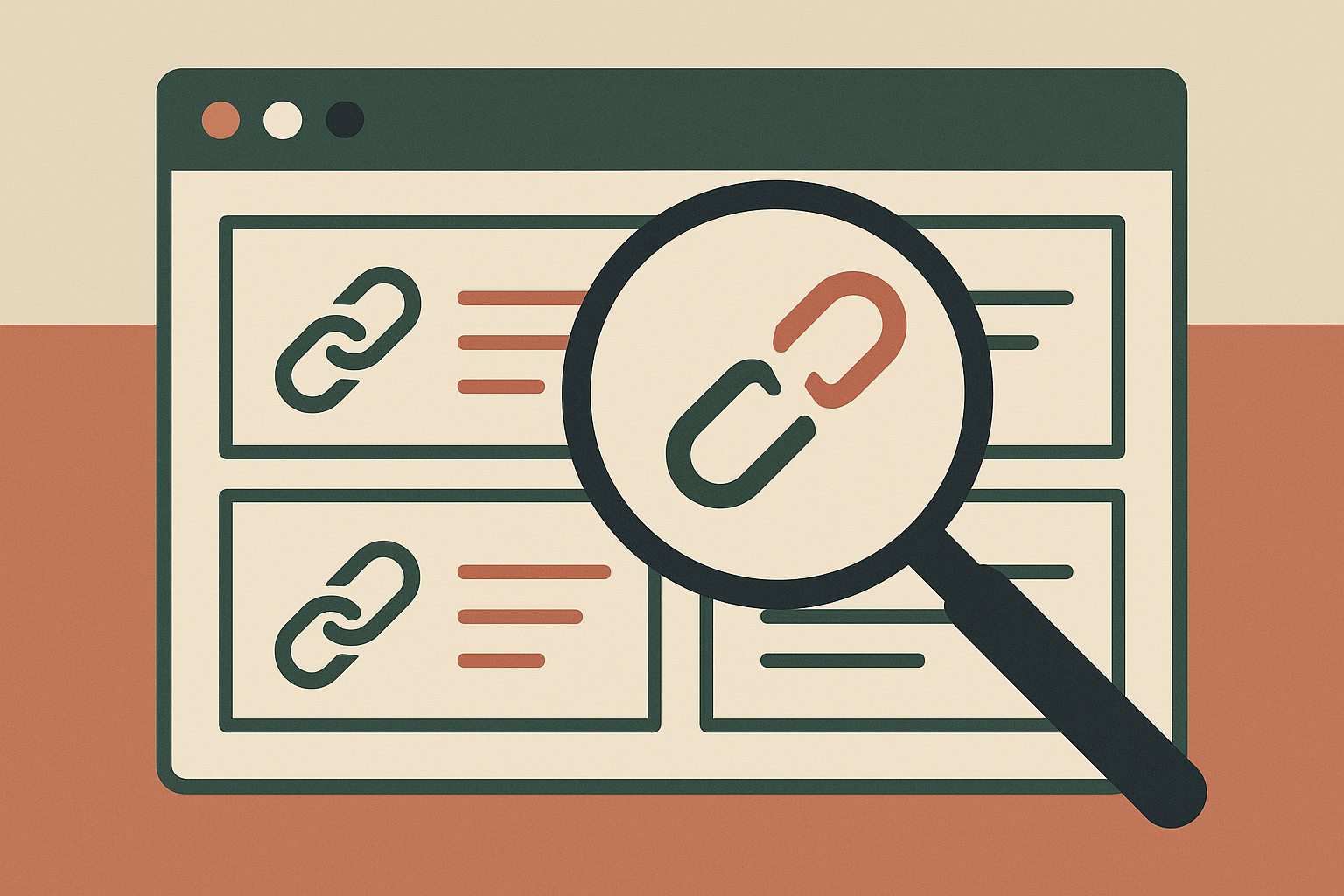
Unlike on-page SEO, technical SEO is not written for the user. It is written for Google’s bots, and only for them. A visitor will never open the robots.txt file or read the schema markup. Google reads them before anything else.
The main pieces of technical SEO:
- Load speed and Core Web Vitals
- Mobile optimization and responsive design
- Crawlability: robots.txt and XML sitemap
- Indexing and crawl budget
- Structured data and schema markup
- HTTPS and SSL certificate
- Internal links and site architecture
- Canonical tags and duplicate content management
Think of technical SEO as the foundation of a building. Without it, even perfect content falls over before it reaches a single user.
Technical, On-Page and Off-Page SEO: the main differences.
SEO is not one activity. It stands on three pillars, and each does a different job.
| Type of SEO | Focus | Examples |
|---|---|---|
| Technical SEO | Infrastructure and accessibility for search engines | Speed, crawlability, HTTPS, sitemap, schema |
| On-Page SEO | Content and page-level optimization | Titles, meta tags, keywords, text structure |
| Off-Page SEO | Authority and reputation outside the site | Backlinks, mentions, partnerships |
Technical SEO clears the basic problems so the search engine can index the site at all. On-Page SEO makes each page understandable and relevant. Off-Page SEO earns trust through signals from outside. Break one of the three and the whole strategy stalls. Without technical optimization the best content is never found. Without external links the site’s authority stays low, whatever the quality of the writing.
Why is technical SEO the foundation of a successful strategy?
If Google cannot crawl and understand your site, it will not rank it. Simple as that. Technical problems can sink any content or link building strategy before it gets a chance.
A typical case: an online store with 500 products generates several thousand duplicate URLs through filters and sorting options. Google cannot tell which page is the „original", splits the authority across the duplicates, and none of them ranks well. Traffic drops even though the content and the products are fine.
For a small business on a limited budget, technical SEO is not an optional extra. It is the only way to be sure every cent put into content or link building has a real chance of turning into organic traffic.
Topical authority, Google’s way of deciding whether a site is a reliable source on a subject, only builds if Google can read the site’s structure. If the bot cannot crawl the pages and see how they connect, topical authority will not accumulate, however much you publish.
Crawlability and indexing: how Google finds and reads your site.
Googlebot crawls the site, follows links from page to page and reads the content to decide which pages go into Google’s index. Four details matter in practice:
- Robots.txt: A text file that tells Googlebot which parts of the site to leave alone. One wrong line here can block indexing completely.
- XML Sitemap: A file listing all important URLs so the bot discovers pages faster. Without it, the bot has to rely on internal links alone.
- Crawl budget: Google does not crawl a site endlessly. A site with many low-value pages (duplicates, parameter URLs, test pages) slows the indexing of the pages that matter.
- Google Search Console: A free tool that shows how many pages are indexed and why the rest are not yet.
Crawlability and crawl budget decide how well a site gets indexed. The topic is big enough for its own article with specific strategies.
Core Web Vitals: LCP, INP and CLS and their impact on your business.
Google made speed and user experience an official ranking factor through Core Web Vitals. Three metrics decide whether a site counts as "fast" in Google’s eyes.
LCP (Largest Contentful Paint) measures how quickly the main content of the page loads. Under 2.5 seconds is good. Over 4 seconds is a problem. INP (Interaction to Next Paint) measures how quickly the page responds when someone clicks or taps. CLS (Cumulative Layout Shift) measures whether elements "jump" while the page loads, so the button a user is about to press suddenly moves down. People hate this, and it hurts rankings directly.
A local online store with an LCP above 4 seconds loses positions to faster competitors, even when its content is better. PageSpeed Insights is Google’s free tool for measuring these metrics. Speed optimization and Core Web Vitals get their own piece with concrete technical fixes.
Mobile optimization and Mobile-First Indexing: why it’s critical.
Since 2023 Google has indexed the mobile version of a site as the primary one. Evaluation, ranking and content understanding all rest on what the bot sees on a phone. If the mobile version is slow, incomplete or awkward to use, rankings drop no matter how polished the desktop version is.
Most people go online from their phone now. A site that is uncomfortable on a small screen loses most of its visitors.
The best answer is responsive design, where the site adapts itself to the screen size. It is also what Google recommends, because it is easier to maintain and avoids duplicate content between the mobile and desktop versions.
Google Search Console will often show you "Mobile Usability" alerts. The usual culprits: text too small to read, buttons placed too close together, content that does not fit the screen. Each of these tells Google the site is not a good mobile experience.
Schema Markup and structured data: how to stand out in AI search.
Schema markup is extra information in a page’s code that describes its content for search engines. Instead of „this page is about coffee machines", schema markup says „this is a product that costs X, has a 4.8 rating and is in stock".
Google recommends the JSON-LD format, which sits in the page’s code without changing how the page looks. In search results it shows up as rich snippets: stars, prices, questions and answers, right on the results page, before anyone has clicked.
Schema.org defines the standard structured data types: Article, FAQ, Product, HowTo, LocalBusiness. Each type sends Google a specific signal about the content and raises the odds of a rich snippet or a spot in PAA („People Also Ask").
This is also the link to Google’s AI Overviews. Google’s algorithms lean on structured data to pick out authoritative, well-organized sources when they generate AI answers. FAQ schema on an informational page is no longer an optional extra, it is the minimum standard for visibility in AI search in 2026.
Technical SEO: on your own, with an agency or with an automated platform?
How you handle technical SEO depends on your resources, experience and goals. Compared on the criteria that matter most:
| Criterion | On your own (DIY) | SEO agency | Automated SaaS platform |
|---|---|---|---|
| Upfront cost (EUR) | Low (mostly time) | High (monthly retainer) | Medium (subscription) |
| Technical knowledge required | Medium to high | None | Low |
| Speed of execution | Slow | Fast | Automatic and continuous |
| Scalability | Limited by the owner’s time | Depends on budget | High |
| Suitable for SMEs without a team | Partly | Yes | Yes |
| Long-term maintenance | Inconsistent | Yes, under contract | Yes, automatic |
Doing it yourself makes sense if you have a technical bent and spare time. An agency fits a business with the budget and a need for fast, thorough work. An automated SaaS platform is the practical option for small and mid-sized companies without a dedicated team who want optimization to keep running without constant manual effort. Ninorai.com is one such platform: it generates and publishes SEO content automatically for WordPress, WooCommerce and Shopify.
Internal links and site structure: steps toward authority.
Internal links are the paths Googlebot walks through your site. Without them a page becomes an „orphan": hard for the bot to find and almost never reached by users. It exists technically, and that is all.
PageRank, Google’s classic algorithm, passes through links, including internal ones. The pages that matter should collect more internal links than the rest: the homepage, the main services, the priority categories. How you spread authority through internal links is a strategic decision.
A silo structure groups related topics together and helps Google grasp the site’s topical authority. Every article about „technical SEO" should link to the others and to a central pillar page. The anchor text, the visible wording of the link, tells Google what the target page is about. „Core Web Vitals guide" is a clearer signal than „Click here".
Site architecture and internal linking are worth a separate article of their own.
The most common technical SEO mistakes and how to avoid them.
Most technical SEO problems are predictable and come up again and again. Six of them, in order of importance:
- No HTTPS/SSL certificate: Google flags the site as not secure, which costs rankings. The fix is easy and usually free through Let's Encrypt.
- Broken links (404 errors): they waste crawl budget and authority. Fix: a 301 redirect to the right page, or correct the link.
- Missing or incorrect sitemap.xml: without it, search engines rely on internal links alone. Most CMS platforms generate the sitemap automatically.
- Duplicate content: when two or more URLs carry the same or nearly the same content, Google struggles to pick which one to rank. Fix: canonical tags pointing to the „original" URL.
- Robots.txt errors: one wrong directive can keep an entire section of the site out of the index. Check in Google Search Console before you change anything.
- Slow loading: it hits Core Web Vitals and rankings directly, especially on mobile. Compressing images and trimming JavaScript are the first steps.
The HTTPS certificate, 404 errors and the sitemap are high priority and easy to fix. Start there.
A checklist for a basic technical SEO audit without a developer.
You do not need to write a line of code to review your own site’s technical SEO. Attention to detail and the right tools, most of them free, are enough.
- Check indexing in Google Search Console: Open the „Coverage" section and see which pages Google has indexed and which it has not. If the indexed count is well below the number of published pages, something is wrong and worth digging into.
- Check Core Web Vitals with PageSpeed Insights: Enter the URLs of your main pages and look at the LCP, INP and CLS results. Scores below 50 need urgent attention.
- Check mobile usability in Google Search Console: The „Mobile Usability" section lists the specific problems with how the site displays on phones.
- Check HTTPS: Every URL on the site should start with https://. Mixed content, where a secure page loads resources over http, is a common catch.
- Check sitemap.xml: Open example.com/sitemap.xml. If the file is missing, generate it with a plugin for your CMS and submit it in Google Search Console. It makes the site easier to crawl.
- Check for 404 errors and broken internal links: In Google Search Console, under „Coverage" and the „Not found (404)" subsection, you will see every broken URL.
- Check for duplicate content and canonical tags: Make sure parameter pages (for example /?sort=price) carry a canonical tag pointing to the page’s main URL.
At the end of this audit you have a prioritized list of things to fix.
How often should you run a technical SEO audit?
It depends on the size and pace of the site, but there are clear minimums.
A small site with up to 50-100 pages should get a full technical audit at least once every 6 months. Larger sites that add content regularly need a check every 3 months. On top of that, look at Core Web Vitals and indexing in Google Search Console every month, because a change of hosting, plugins or theme can break things without warning.
A technical audit is a must when you change domains, migrate to a new platform or redesign, and after any sudden drop in organic traffic or rankings. Every one of these changes carries a high risk of technical errors.
PageSpeed Insights and Google Search Console cover basic monitoring and cost nothing. They show the main performance and indexing metrics, but only if someone looks at them regularly enough to catch problems in time.
Technical SEO and AI Overviews: how structured data affects visibility.
Google’s AI Overviews change how people find information, and structured data decides whether your site shows up inside them.
Google uses schema markup to recognize reliable, well-structured sources when it generates answers. A page with Article schema, FAQ schema or HowTo schema tells Google directly what kind of content it holds and how it is organized. A page without schema leaves Google to guess.
Fast loading and mobile optimization are no longer an advantage, they are a basic requirement in technical SEO.
On multilingual sites, hreflang tags tell Google which language version belongs to which market. Without them, Google may serve the German version to a Bulgarian user or the other way round, which defeats the point of localizing. In 2026, FAQ schema on every informational page is close to mandatory for good visibility in AI search. Topical authority plus technical accessibility is what makes your content worth citing in AI-generated answers.
How does AI automation support technical SEO?
Technical SEO is the base content is built on. The two work together, and neither delivers much without the other.
Publishing new material regularly gives Googlebot a reason to come back more often. A page updated once a year gets less attention from the bot than one that publishes every week. Every new post is a chance to add internal links that push authority toward your most important pages. Topical authority comes from covering related topics consistently and in depth, not from one article, however long.
This is where automation earns its keep. Ninorai.com creates and publishes SEO articles straight into WordPress, WooCommerce and Shopify, structure, internal links and images included. For a small business without a marketing team, it is a practical way to stay active without losing hours to manual work every week. If that sounds useful, the site offers a 14-day trial with four articles.
Frequently asked questions
What is technical SEO and why does it matter for a small business?
Technical SEO covers the site settings that let Google index a website and show it in search results. For a small business it is not optional. Without a sound technical base, even the best content and advertising can fail to deliver. Technical faults block good rankings no matter how strong the copy is.
What is the difference between technical SEO and on-page SEO?
Technical SEO is about how Google sees the site: load speed, code structure, security and correct indexing. On-page SEO is about what is on the pages: titles, keywords, meta descriptions and copy. The two depend on each other.
How can you check the technical health of a site without a technical team?
Google Search Console and PageSpeed Insights are two free tools that cover a basic check. Search Console shows which pages are indexed, mobile loading issues and 404 errors. PageSpeed Insights measures Core Web Vitals. That gives you a fair picture of the site’s condition. A detailed analysis still needs a specialist.
How often should a technical SEO audit be done?
For a small site, twice a year is a sensible minimum. An audit is a must when you change domains, redesign the site or see a sudden drop in traffic. Checking Core Web Vitals and indexing once a month is good practice.
How does schema markup help with better rankings and visibility in AI search engines?
Schema markup tells Google exactly what a page is: a product, an article, a set of questions and answers or a set of instructions. That raises the odds of rich snippets in classic search and of being picked up in AI Overviews summaries. For informational pages with frequently asked questions, FAQ schema is the one to add.
How long does it take to see results from technical SEO?
It depends on how bad the problems are and how big the site is. Fixing critical faults such as blocked indexing or a missing HTTPS can pay off within weeks. Building authority through regular content takes months. Technical SEO pays back more over time and belongs in the overall strategy for any site.